Basics
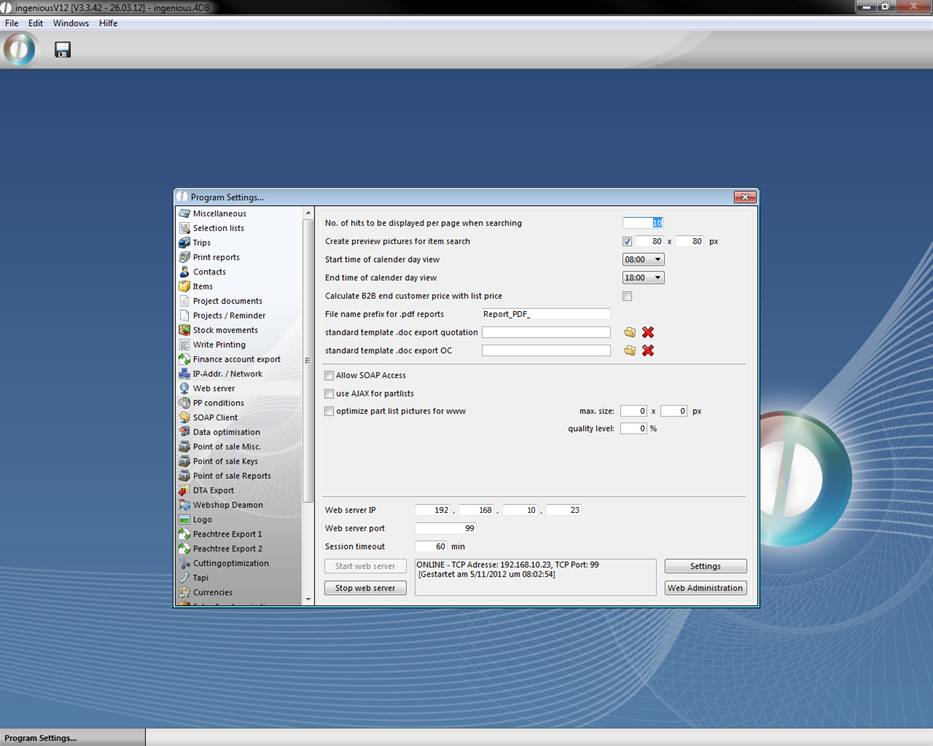
To adjust the content of the web access to your needs, you can modify the layout (= html sites of the web access). In the program settings in the category “web server” you find a button “Web Administration”. This will open up a window, where you can modify the look of your web access.
In this example in the folder “Genberal_B2B” you can find “B2B_segment_left_menu”, which contains the form for the left menu in the B2B View of the web access.
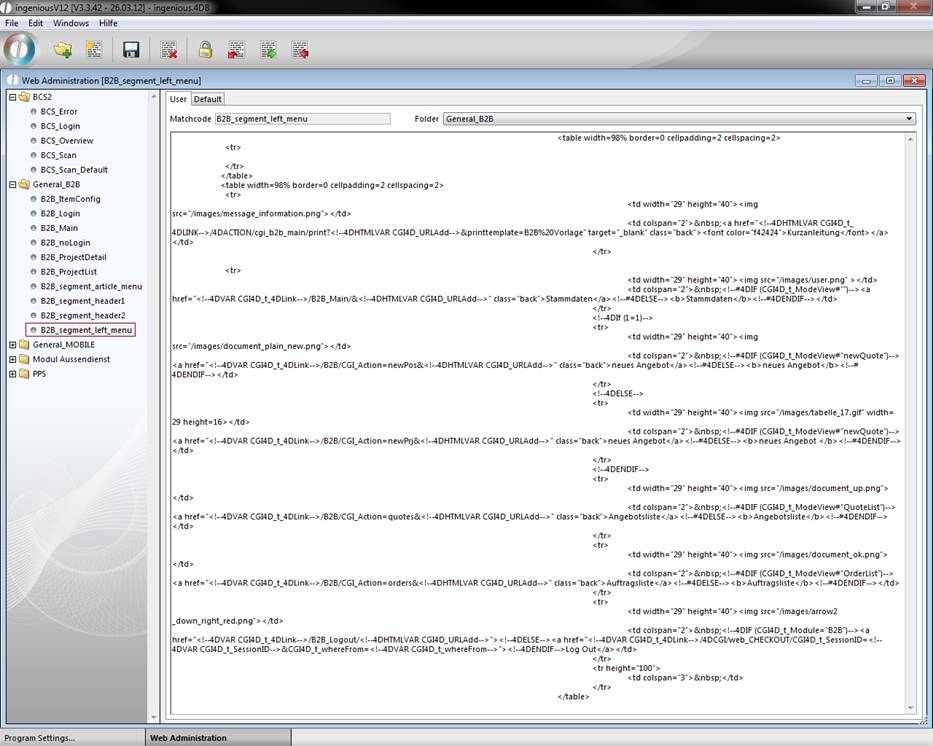
Web Administration in ingenious.V12
The basics of the html code for your web view are the following:
Static text:
{{core data}}
It is possible to output static text in multiple languages. To use this feature you have to enter static text in double braces {{Your text}}. If you don’t need multiple languages you can write static text without braces.
To display the content of a record:
<!--#4DVAR [Kontakte]WS_Individuell_Text_1-->
To refer to another intern site of the web view (in this case, the B2B start screen):
<!--4DVAR CGI4D_t_4DLink-->/B2B_Main/&<!--4DHTMLVAR CGI4D_URLAdd-->
To load a segment:
{GET_HTML_SEGMENT("B2B_segment_left_menu")}
To display text dependent on variables:
<!--4DIF ([Kontakte]Individuell_Text_3="4")--> (used for contact groups to display different products)
<!--4DELSE-->
<!--4DENDIF-->
Source paths of files – for example a picture:
src="/images/ document_plain_new.png " alt"">
Forms:
<form name="form1" method="post" action="<!--#4DVAR CGI4D_t_4DLink-->/4DACTION/cgi_B2B_ItemConfig">
Open a part list:
<a href="<!--#4DVAR CGI4D_t_4DLink-->/B2B/CGI_Action=newpos&<!--4DVAR CGI4D_URLAdd-->&CGI4D_t_selection_key_field=example_list">
Print a document:
onClick="window.open(href='<!--4DHTMLVAR CGI4D_t_4DLINK-->/4DACTION/cgi_b2b_segment_left_menu/print?<!--4DHTMLVAR CGI4D_URLAdd-->&printtemplate=Quotation_DE')"
Variables
|
Variable |
Beschreibung |
|
CGI4D_t_partlist_key_field |
ID of the part list item |
|
CGI4D_t_selection_key_field |
Name of the desired part list |
|
CGI4D_t_pos_key_field |
ID of a new item |
|
CGI4D_t_error |
Error message |
|
CGI4D_t_4DLink |
“” |
|
CGI_B2B_isPartlist |
“true“, is item is a part list |
|
CGI4D_URLAdd |
Contains hidden variables |
|
CGI4D_t_ArtikelText |
Item text |
|
CGI4D_t_ArtikelMenge |
Item quantity |
|
CGI4D_t_Artikel_AbmessungTyp |
Unit of the item |
|
CGI4D_t_Artikel_AbmessungX |
X measurement of the item |
|
CGI4D_t_Artikel_AbmessungY |
Y measurement of the item |
|
CGI4D_t_Artikel_AbmessungZ |
Z measurement of the item |
|
CGI_StkLi_MSG |
Message in the part list |
|
CGI_StkLi_ZuschlagP |
Add % addition in the cusomter calculation |
|
CGI_StkLi_ZuschlagE |
Add € addition in the cusomter calculation |
|
CGI_StkLi_Netto |
Purchase price of the sales item |
|
CGI_StkLi_Calc |
Part list calculation |
|
CGI_StkLi_Netto_VK |
Sales price oft he calculated item (excl. VAT) |
|
CGI_StkLi_Brutto_VK |
Sales price oft he calculated item (incl. VAT) |
|
CGI_B2B_ArtikelSuche |
“true”, when number of found items is not 1 |
|
CGI4D_t_nextField |
Next active field in the part list |
|
CGI_B2B_Angebot_Bezeichner |
Document name |
|
CGI4D_t_pos_input |
“A” when item is an article, “R” when it is a rabate |
|
CGI_B2B_Angebot_EK |
Sum of the purchase prices of the project |
|
CGI_B2B_Angebot_VK |
Sum of the purchase prices of the project (excl. VAT) |
|
CGI_B2B_Angebot_MwSt |
VAT of the project |
|
CGI_B2B_Angebot_VK_Brutto |
Sum of the sales prices of the project (incl. VAT) |
|
CGI4D_t_ModeView |
To distinguish between price list and purchase list |
|
CGI_StkLiVisible |
Field with all lines of a part list, „true“, when it is visible. |
|
CGI_StkLiCnt |
Field containing a (his own) item |
|
CGI_StkLiBColor |
Field whose background color corresponds to the line color of the part list |
|
CGI_StkLiFColor |
Field whose foreground color corresponds to the line color of the part list |
|
CGI_StkLiBezeichner |
Field containing the names of all lines of the part list |
|
CGI_StkLi_Width1 |
Width of the part list – divided line 1 |
|
CGI_StkLi_Width2 |
Width of the part list – divided line 2 |
|
webCurrentSelection |
Current selection |
|
WebCurrentPage |
Number of the current selected pages |
|
webPages |
Number of all sites according to the result |
|
webFehlerLogin |
Login error |
|
webSearchValue |
Input value of the searched project |
Actions:
document.stkli.submit()
Strings:
<!--4DVAR String(Round(CGI_StkLi_Brutto_VK;2);<>frmtStandard2)-->
Buttons:
|
Button |
Beschreibung |
|
BTN_Partlist_Abort |
Abort part list calculation |
|
BTN_Partlist_Calc |
Calculation of the part list |
|
BTN_Partlist_UpdatePos |
Update calculated article in the project |
|
BTN_Partlist_AddPos |
Add calculated item to project |
|
BTN_KON_Save |
Save changes of contact data |
|
BTN_AddPos_D1 |
Add direct item as piece item |
|
BTN_AddPos_D2 |
Add direct item as meter item |
|
BTN_AddPos_D3 |
Add direct item as square meter item |
|
BTN_AddPos_Rab |
Add abatement |
|
BTN_AddPos_LSum |
Add running sum |
|
BTN_AddPos_ZSum |
Add subtotal |
|
BTN_AddPos_Text |
Add free text (no price) |
|
BTN_AddPos_Header |
Add headline |
|
BTN_Save |
Save project |
|
BTN_Delete |
Delete project |
|
BTN_AddItem |
Add item from catalogue |
|
BTN_Finalise |
Finalize project |
|
BTN_Print |
Print project |
Commands in part lists:
HTML template: B2B_segment_controls_AJAX
Javascript files: Jscript/Control_Color.js, Control_Picture.js, Control_PicSlider.js, Control_Slider.js, Control_Toggle.js, Set_Fokus.js
|
Control |
Variable in Web-Template |
|
1. Headline |
CGI_StkLiBezTitle{CGI_StkLiCnt} |
|
2. Description |
CGI_StkLiBezDesc{CGI_StkLiCnt} |
|
3. Picture |
CGI_StkLiBezPict{CGI_StkLiCnt} |
|
4. Radio buttons |
--- |
|
5. Picture buttons |
CGI_StkLiDropdownPics{CGI_StkLiCnt}{CGI_StkLiDropdownCnt} |
|
6. Color picker |
CGI_StkLiDropdownColors{CGI_StkLiCnt}{CGI_StkLiDropdownCnt} |
|
7. Slider |
CGI_StkLiBezSliderMin{CGI_StkLiCnt} CGI_StkLiBezSliderMax{CGI_StkLiCnt} CGI_StkLiBezSliderStep{CGI_StkLiCnt} |
|
8. Picture slider |
CGI_StkLiDropdownPics {CGI_StkLiCnt} {CGI_StkLiDropdownCnt} CGI_StkLiDropdownPicDesc {CGI_StkLiCnt} {CGI_StkLiDropdownCnt} |
|
9. Segment |
--- |
|
10. HTML segment |
CGI_StkLiBezCode{CGI_StkLiCnt} |
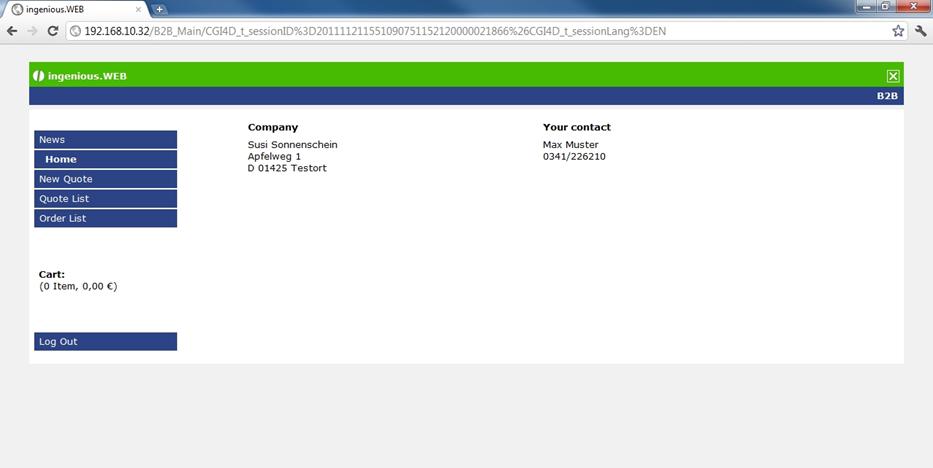
B2B View of the WebAccess
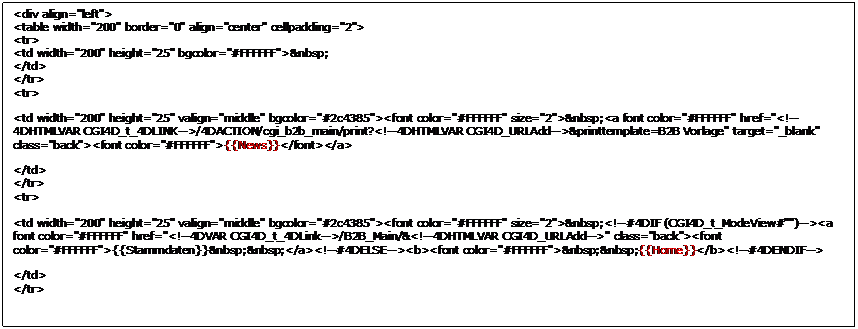
Excerpt of the html code of the left menu in the start view of the B2B WebAccess (static text is red):